
Facebook Page Followers or Post Likes: Which Service Fits?
Choose the destination and action before choosing a Facebook quantity. This guide separates Page followers, post likes and combined Page rows, then follows practical business examples to clarify the brief. It also checks overlapping line items and keeps delivery observations distinct from enquiries, product understanding and the customer journey a service alone cannot complete.
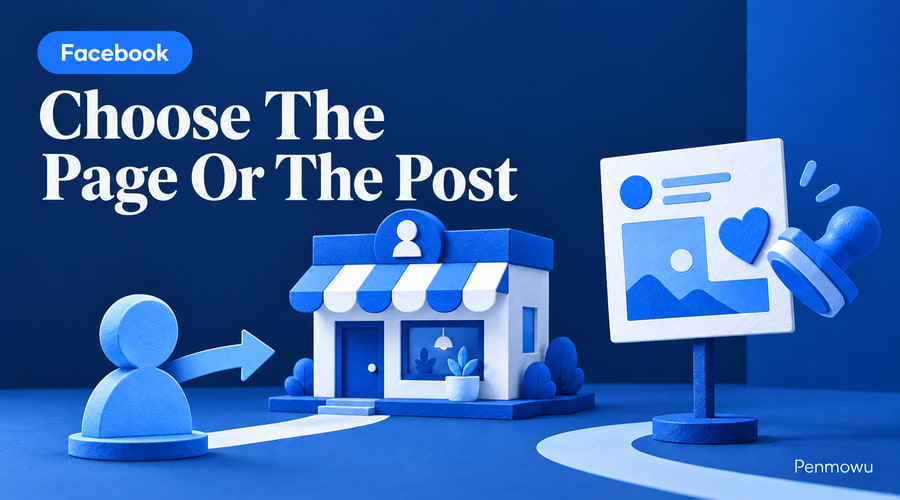
Choose Facebook Page followers when your brief concerns the Page itself; choose post likes when it concerns one published item. The distinction matters because a follower order and a post-likes order have different destinations and should be checked against different counters. Buying one does not deliver the other unless the selected service explicitly includes both.
The Penmowu Facebook catalog lists Page followers, post likes and some combined Page likes-and-followers rows. Start with the object in your brief, then compare products within that group. Searching only for the lowest price can place two unrelated purchases side by side.
Turn a vague request into a specific deliverable
“We need more Facebook engagement” leaves too many decisions unresolved. A useful brief names the destination, action and reason for choosing it. For example, a business preparing an updated Page might have a Page-level follower requirement. A team distributing one product announcement might instead have a defined likes requirement for that announcement.
Neither example proves customer demand. They simply make the purchase identifiable. A sales objective needs a separate path from the post or Page to an enquiry, product page or booking form.
Followers on the business Page
- Catalog area to inspect: Page follower rows.
- What to record: Exact Page and follower counter.
Likes on a specific announcement
- Catalog area to inspect: Post likes.
- What to record: Original post and its likes.
Two explicitly included Page actions
- Catalog area to inspect: Combined Page rows.
- What to record: Each included action and its unit.
Website enquiries
- Catalog area to inspect: Content and destination review first.
- What to record: Visits, enquiries and their source.
Follow one example through the decision
Imagine a homewares shop has a completed Page but wants to promote a new desk lamp. The owner writes, “Buy 300 followers for the lamp post.” That instruction mixes a Page-level action with a post-level destination.
The team should resolve the object before choosing a quantity. If the actual requirement is likes on the lamp demonstration, it should record the original post address and select a compatible likes row. If the owner genuinely wants followers on the business Page, the brief should name that Page and leave the lamp post out of the delivery specification.
The team can still improve the lamp demonstration: show the dimensions, switch the lamp on, explain the power connection and provide a working product link. Those changes answer buying questions; the service order addresses only its named action.
Check whether the purchase answers the present problem
Consider a second business: a local repair company receives visits to its Facebook Page but few enquiries. The owner is considering followers because the Page looks small. Before deciding, a colleague opens the Page as a prospective customer and tries to answer three questions: which areas are covered, which repairs are accepted and how to request an estimate.
If those answers are missing, prepare them first. A follower quantity cannot supply the missing service area or make an unclear booking instruction understandable. The company can then judge whether it still has a defined Page-level requirement, with the enquiry process already usable.
If a business has no specific destination or action in mind, keep the purchase pending while the brief is clarified. A useful stopping condition is simple: every stakeholder should be able to name the same deliverable without adding an assumed promise of sales, reach or active customers.
Build a comparison that avoids counting twice
Suppose a draft order sheet contains one Page follower row, one combined Page row and a post-likes row. Check whether the first two cover overlapping actions. The presence of three line items does not establish three different needs.
Put the service ID, destination, included action and quoted unit in separate columns. Give each line a short reason for existing. If two lines have the same destination and action, resolve whether the overlap is intentional before payment, especially when another order is already running.
For the desk-lamp campaign, the post address belongs on the post-likes line; the business Page address belongs on a compatible Page line. This small administrative step makes later delivery questions much easier to answer and keeps an accidental duplicate from consuming the budget.
Compare conditions after identifying the action
Read the entire row, including minimum quantity, any maximum, delivery description and available support terms. A large daily speed in a service name is not a reason to order a large amount. The quantity should come from an approved brief and budget.
Also check whether a combined row describes Page likes, followers or both. Do not assume that the quantity applies independently to every word in its title. Ask for clarification when the counting arrangement is unclear.
Keep two separate success checks
The delivery check asks whether the specified action appeared at the specified destination under the selected terms. The business check asks whether suitable visitors understood the offer and took a useful next step. A single screenshot cannot answer both questions.
Write the destination and action in one sentence before opening the Facebook service list. Once that sentence is clear, comparison becomes faster and the chance of purchasing the wrong service falls substantially.